What is Archimedes?
The manual for a local-first research loop. Install the desktop app, connect a model, and move from a question to evidence to a paper without losing the trail.
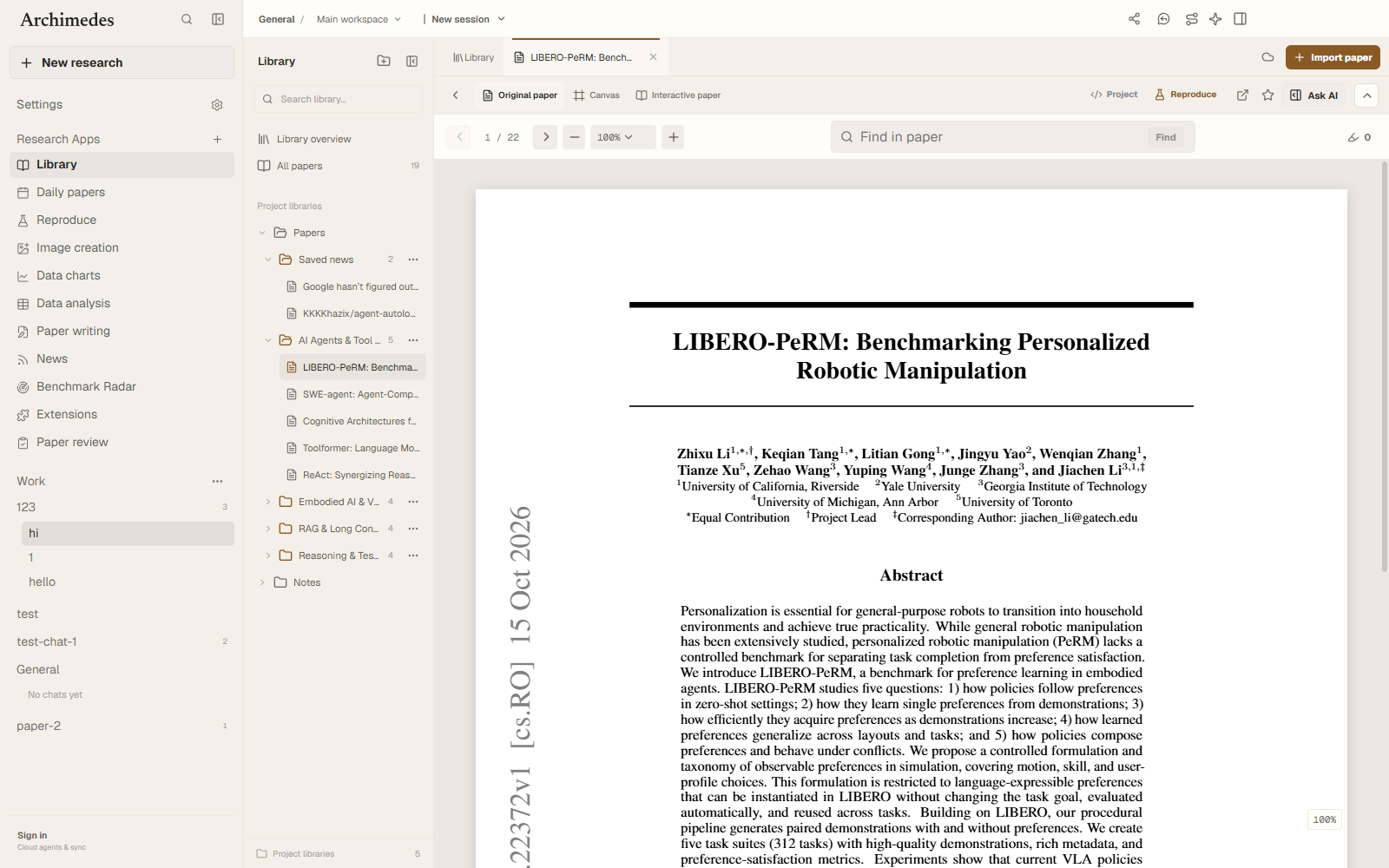
Archimedes is a desktop research workbench. It runs as an Electron application around a local SQLite database, with a React renderer and a main process that owns credentials, filesystem access, terminal control, and approval boundaries.
It is not a generic chat shell with a paper list attached. The centre of gravity is the research loop: question → sources → evidence → implementation → experiment → writing.
Install in ten minutes
Prerequisites, first launch, and the native terminal module.
READ SECTION →Connect a model
OpenAI-compatible endpoints, Anthropic, Gemini, and local models.
READ SECTION →Understand workspaces
Projects, shared folders, sandboxes, worktrees, and sessions.
READ SECTION →Know where data lives
The local database, credentials, and approval gates.
READ SECTION →Install
Archimedes needs Git and a current Node.js LTS release. There is no Python service, external database, or global Electron install. The recommended path is to let a coding agent run the first launch and report any native-module errors.
On Windows
Use Copy-Item .env.example .env.local in PowerShell. If the terminal native module fails, run npm run rebuild:native and start the app again.
Models and search
Model providers and search providers are independent. Configure a model in the in-app dialog or in .env.local, then configure web search separately with Brave, Tavily, Exa, or Firecrawl.
The app opens without a model key, but chat and agent actions will not run. Keys stay in the Electron main process and are not exposed to the renderer.
Projects and workspaces
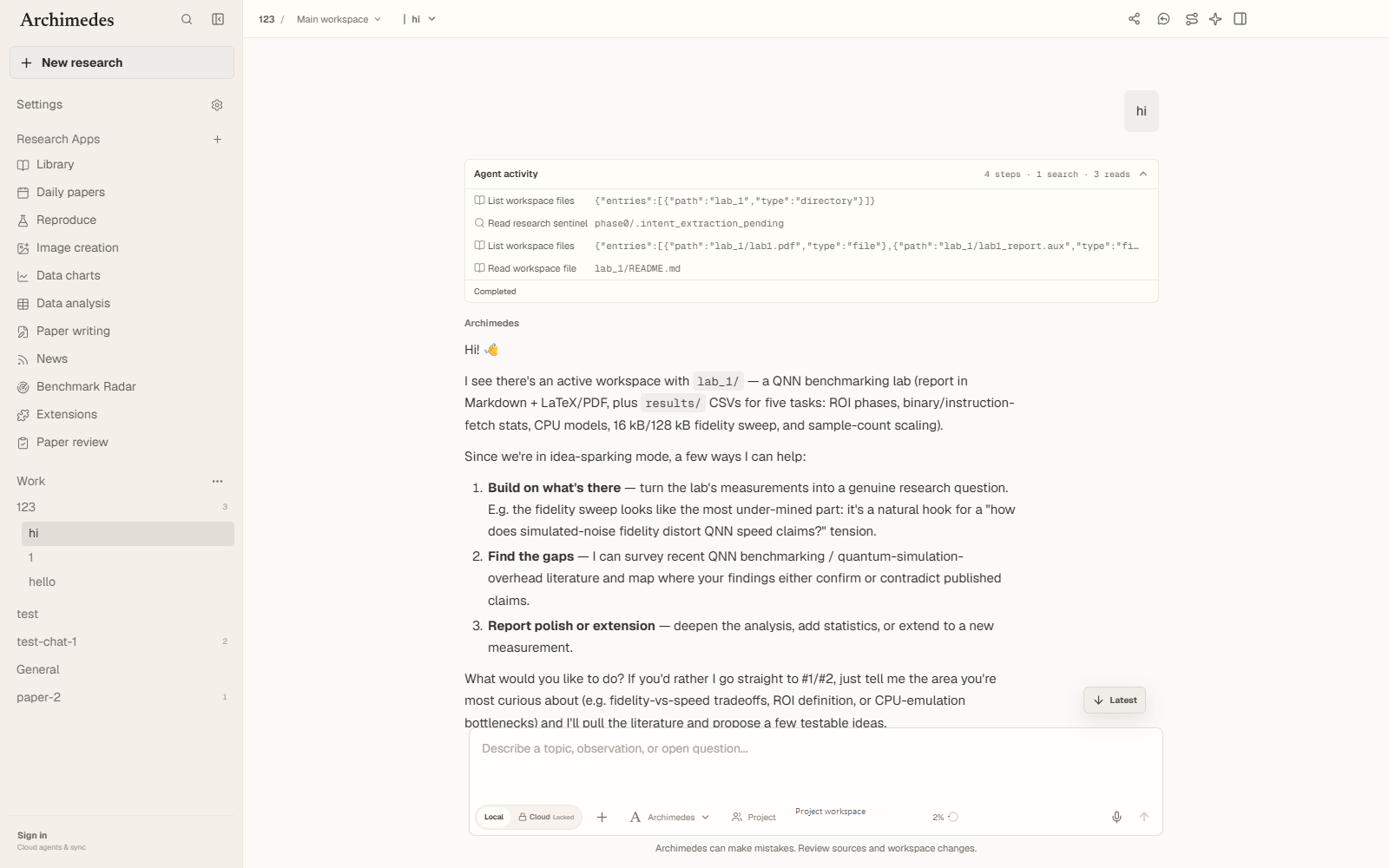
A project points at a folder. Inside it, a shared workspace is the folder itself; isolated workspaces are sandboxes or Git worktrees with their own names and sessions. The sidebar shows Projects → Workspaces, never individual conversations.
New workspaces can be named by you. Left blank, they take the next unused name from a curated library of studios and residences, then fall back to unique English building names. Workspaces can be renamed later.
Research chat
Conversations are project-scoped and persistent. Attach papers, files, folders, images, skills, and repositories; the composer shows context usage and supports drag-and-drop, prompt history, follow-up queues, and slash commands.
Literature workspace
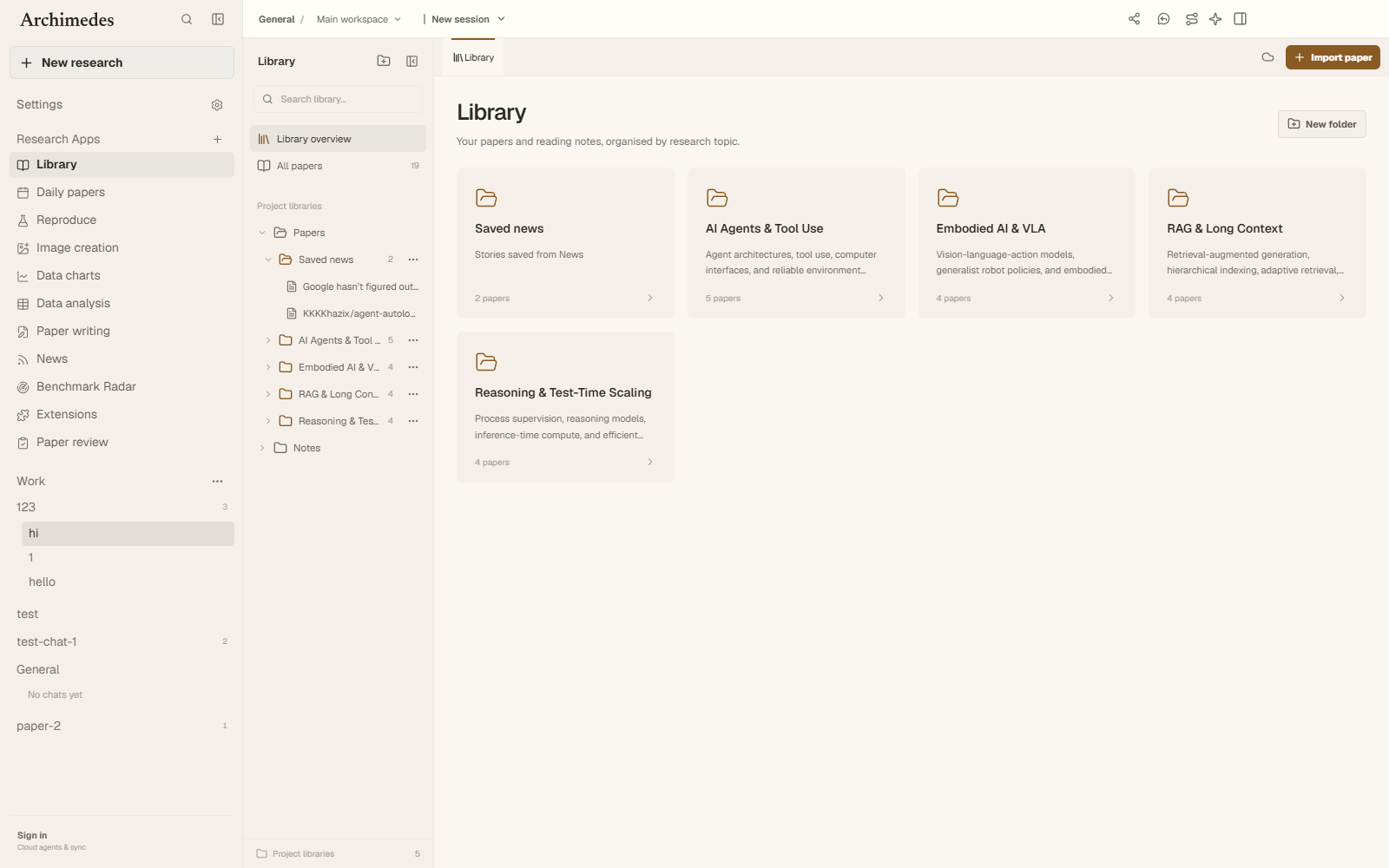
Each project can hold libraries of papers. Import a PDF, keep reading state, open the original document, search inside it, translate passages, and save notes and highlights with page references.
Paper plus code
Link a GitHub repository or project page to a paper and open it beside the claim. Split panes keep the paper, implementation, notes, and terminal in one context, so checking an ablation does not mean losing the page you were reading.
Discovery
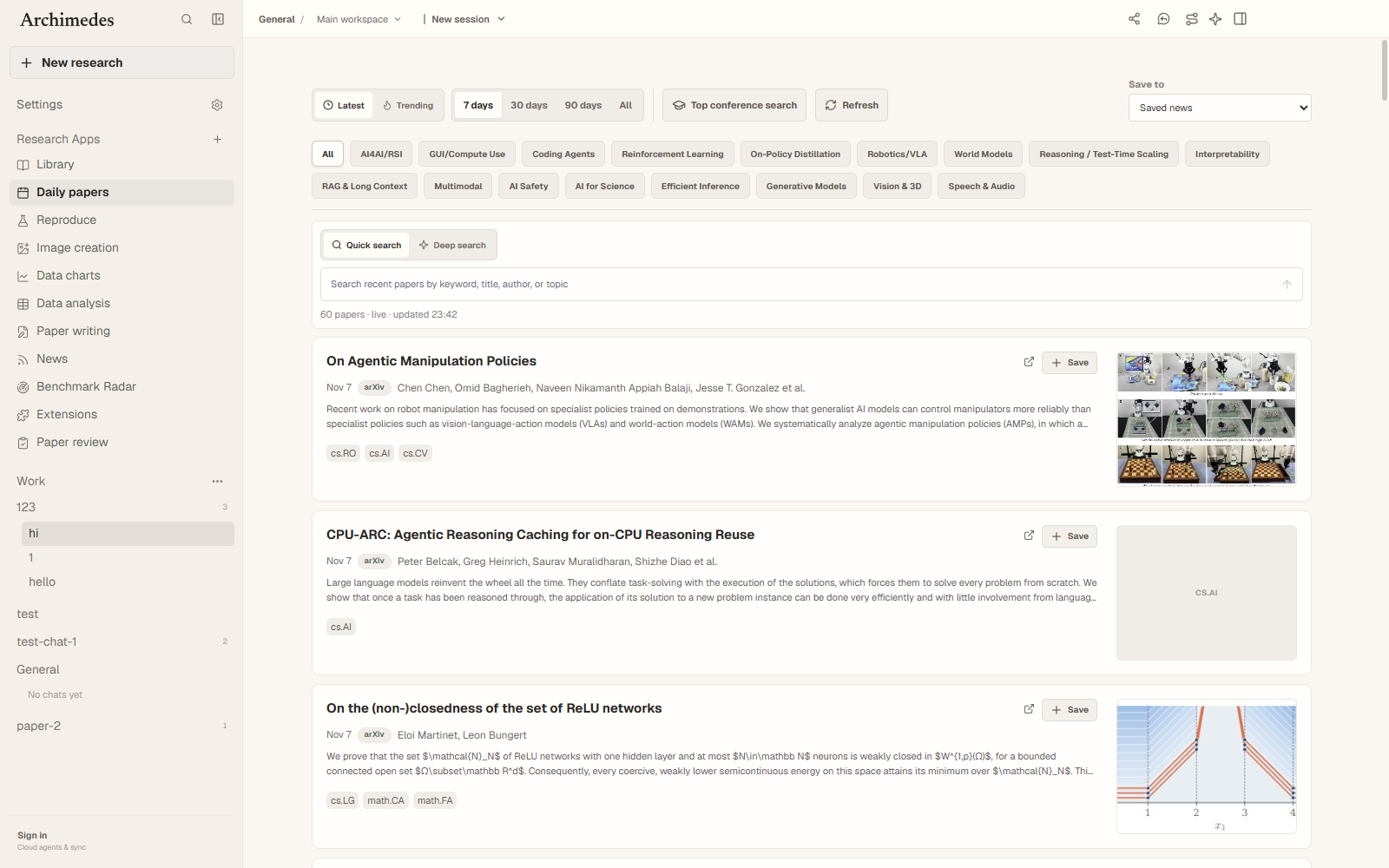
Daily papers support latest and trending views, date ranges, topic filters, and keyword search. Conference catalog search covers ICML, ICLR, NeurIPS, CVPR, ICCV, ECCV, ACL, EMNLP, and AAAI, with provenance retained for every source.
Benchmark Radar
Benchmark Radar tracks emerging benchmarks and recent evidence, with filters for time window, attention, and category. Every entry links back to its paper and code.
Canvas
Canvas is a project surface for research questions, methods, evidence, weak points, and next experiments. It is a thinking aid, not a second document editor: cards keep their link back to the underlying source.
LaTeX and projects
Create a LaTeX paper project from a template, edit sources, compile, and preview the PDF without leaving the workspace. Figures, notes, and evidence stay one panel away while the draft changes.
Terminal and approvals
An interactive terminal is available per workspace. Agent-proposed file writes and shell commands require an explicit approve or reject decision, and the record stays auditable in the local database.
Skills and extensions
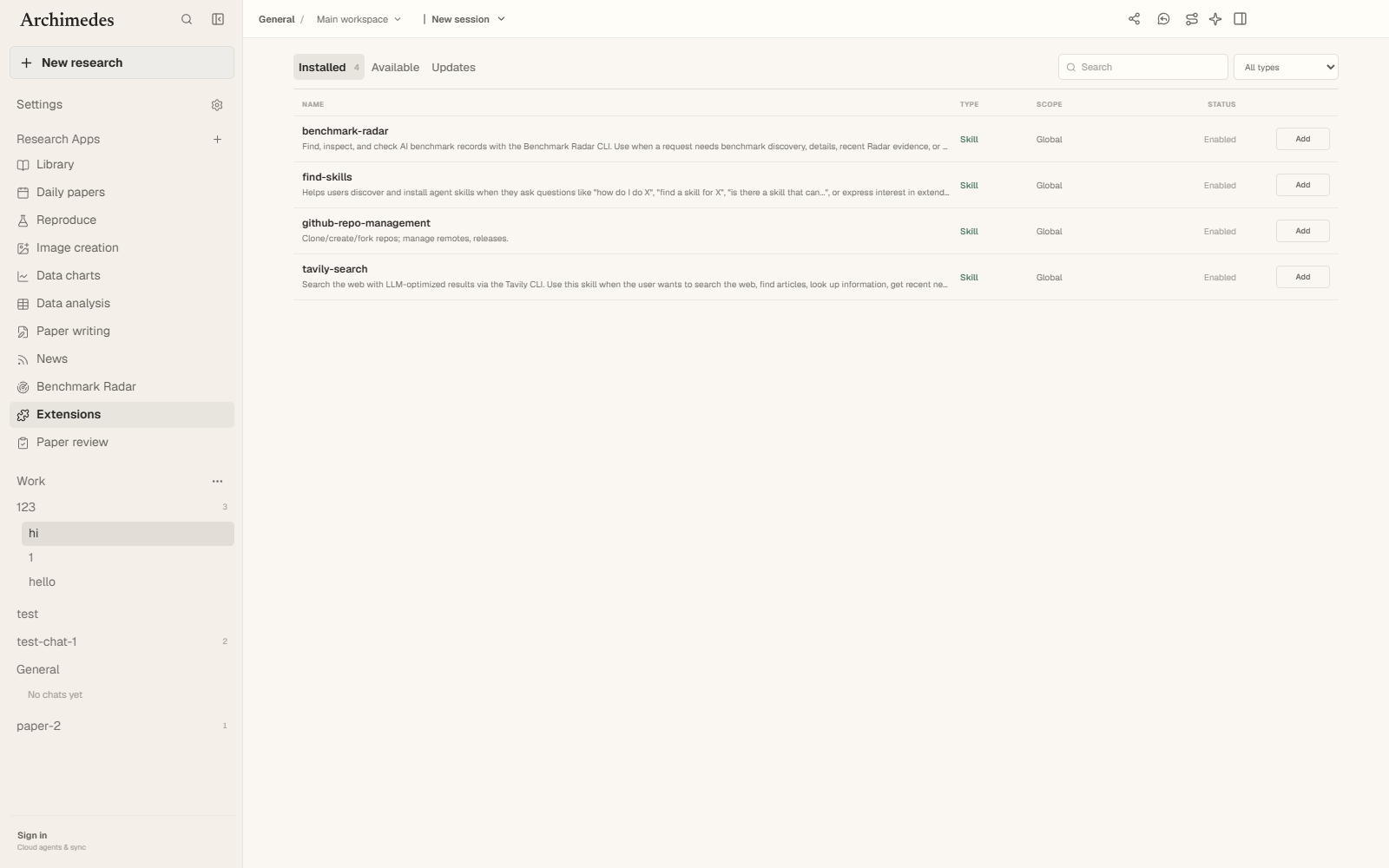
The extension marketplace collects skills, plugins, MCP servers, and custom indexes. Skill packages can install into a workspace or the global .agents/skills directory; other types link back to their source with explicit permissions.
Data and privacy
Workspace records live in .archimedes/archimedes.db, ignored by Git. Credentials stay in the Electron main process. Sandboxed browser windows handle authenticated pages directly, and Archimedes does not bypass paywalls, private repositories, or source permissions.
Troubleshooting
Common first-run issues: the native terminal module after install, Electron not opening after Vite starts, and chat failing without a model key. Each has a short fix; this section will collect exact errors and platform notes.
Cite Archimedes
If Archimedes supports your research, cite the software entry.